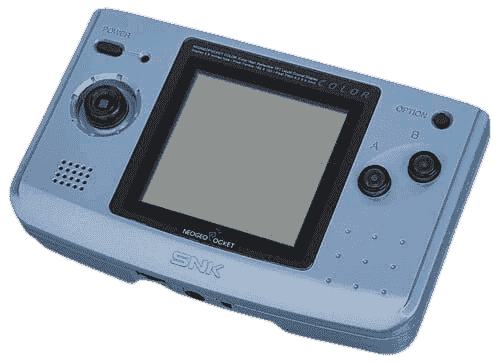
Neo Geo Pocket / Color Emulators
5 emulators available — choose the right one for your device
BizHawk
RecommendedOpen SourceBizHawk is a multi-system emulator focused on Tool-Assisted Speedruns (TAS). It supports over 30 consoles, offers frame-by-frame rewind, RAM watch, Lua scripting, and is the go-to tool for the TASVideos community.
Mednafen
RecommendedOpen SourceMednafen is a high-accuracy multi-system emulator with best-in-class cores for Saturn, PS1, PC Engine, Neo Geo Pocket, Virtual Boy, NES, SNES, and Game Boy. A first choice for accuracy-focused emulation.
NeoPop
RecommendedOpen SourceNeoPop is the most popular dedicated Neo Geo Pocket / Neo Geo Pocket Color emulator. It delivers accurate emulation of the full NGP and NGPC game library on Windows.
OpenEmu
RecommendedOpen SourceOpenEmu is the best all-in-one emulator for macOS, unifying multiple cores in one polished Mac-native app. It supports a huge range of consoles with automatic ROM organization, artwork fetching, and iCloud saves.
RetroArch
RecommendedOpen SourceRetroArch is an all-in-one frontend for emulators, game engines, and media players. It brings hundreds of emulator cores under one roof with a unified interface, shader support, and cross-platform availability.
How to Play NGP / NGPC ROMs
- 1Download an emulator from the list above — pick one that matches your operating system.
- 2Download a ROM for the game you want to play from our games library.
- 3Open the ROM in the emulator using File → Open or by dragging the ROM file into the window.
- 4Configure controls in the emulator settings to map your keyboard or gamepad, then enjoy the game!