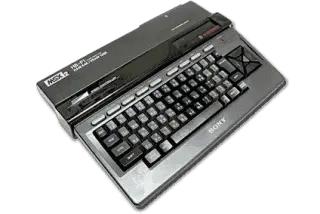
MSX2
MSX2 Emulators
3 emulators available — choose the right one for your device
Windows(3)
macOS(2)
Linux(3)
Android(2)
iOS(1)
openMSX
RecommendedOpen SourceopenMSX is an open-source MSX emulator that strives for perfection in terms of accuracy. It supports MSX, MSX2, MSX2+, MSX turbo R, and also includes ColecoVision emulation via its Coleco machine definition.
Supported Platforms
WindowsmacOSLinux
RetroArch
RecommendedOpen SourceRetroArch is an all-in-one frontend for emulators, game engines, and media players. It brings hundreds of emulator cores under one roof with a unified interface, shader support, and cross-platform availability.
Supported Platforms
WindowsmacOSLinuxAndroidiOS
fMSX
fMSX is a portable MSX/MSX2/MSX2+ emulator available on Android, Windows, and Linux. It is one of the oldest MSX emulators still actively maintained, with broad game compatibility.
Supported Platforms
WindowsLinuxAndroid
How to Play MSX2 ROMs
- 1Download an emulator from the list above — pick one that matches your operating system.
- 2Download a ROM for the game you want to play from our games library.
- 3Open the ROM in the emulator using File → Open or by dragging the ROM file into the window.
- 4Configure controls in the emulator settings to map your keyboard or gamepad, then enjoy the game!