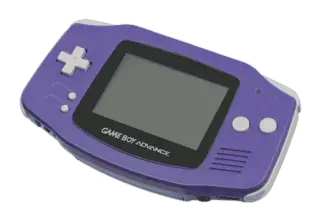
Game Boy Advance Emulators
8 emulators available — choose the right one for your device
BizHawk
RecommendedOpen SourceBizHawk is a multi-system emulator focused on Tool-Assisted Speedruns (TAS). It supports over 30 consoles, offers frame-by-frame rewind, RAM watch, Lua scripting, and is the go-to tool for the TASVideos community.
Delta
RecommendedOpen SourceDelta is the best free multi-system emulator for iPhone and iPad. Available on the App Store, it supports NES, SNES, N64, GBA, GBC, and DS — no jailbreak required.
Mesen 2
RecommendedOpen SourceMesen 2 is a high-accuracy multi-system emulator covering NES, SNES, Game Boy, and GBA. It features cycle-accurate emulation, advanced debugging tools, and excellent game compatibility.
mGBA
RecommendedOpen SourcemGBA is a fast and accurate emulator supporting Game Boy, Game Boy Color, and Game Boy Advance. It runs on desktop and Android and is widely regarded as the best GBA emulator available.
My Boy! Free
RecommendedMy Boy! is the most popular GBA emulator for Android. It delivers full-speed emulation on most modern phones, with support for cheats, fast-forward, and hardware controller input.
OpenEmu
RecommendedOpen SourceOpenEmu is the best all-in-one emulator for macOS, unifying multiple cores in one polished Mac-native app. It supports a huge range of consoles with automatic ROM organization, artwork fetching, and iCloud saves.
RetroArch
RecommendedOpen SourceRetroArch is an all-in-one frontend for emulators, game engines, and media players. It brings hundreds of emulator cores under one roof with a unified interface, shader support, and cross-platform availability.
VisualBoyAdvance-M
Open SourceVisualBoyAdvance-M is a community-maintained fork of the classic VBA emulator with improved speed, bug fixes, and enhanced features for GB, GBC, and GBA emulation.
How to Play GBA ROMs
- 1Download an emulator from the list above — pick one that matches your operating system.
- 2Download a ROM for the game you want to play from our games library.
- 3Open the ROM in the emulator using File → Open or by dragging the ROM file into the window.
- 4Configure controls in the emulator settings to map your keyboard or gamepad, then enjoy the game!